Designing a Photo Collage — and Getting It Printed
A photo collage is one of the most personal things you can put on a wall. It is not one moment — it is a collection of them. A year of family photos. A road trip. A child growing up. The right collage can tell a story in a way that no single photograph can.
The challenge has always been the design step. How do you arrange a dozen photos into something that looks intentional rather than chaotic? At Yellow Lab Imaging, we have made that part easier — and once the design is done, we handle the printing and ship it directly to you.
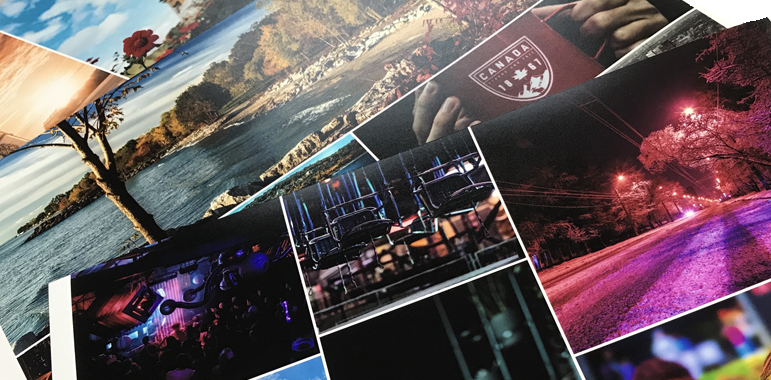
Design It Yourself — With Templates or From Scratch
Our ordering portal includes a built-in collage design tool with two ways to work:
Pre-made templates: Choose a layout, drop your photos into the designated spots, and you are done. The templates handle the arrangement, spacing, and proportions — you just supply the images. This is the fastest path and works well for most projects. Templates are available in a range of layouts, from simple two-photo pairings to larger multi-image grids.
Custom design: If you want more control over placement, sizing, and arrangement, the tool also allows you to build a collage from scratch. You set the canvas size, place images where you want them, and adjust until it looks right.
Either way, what you see in the design tool is what goes to the printer. There is no guessing about how it will look when it arrives.
Further Reading
Things to Think About Before You Start Designing
Size and orientation: Decide upfront how large you want the finished print and whether it will be landscape (wider than tall) or portrait (taller than wide). This affects how many photos fit comfortably and how much detail shows in each one. A larger print can accommodate more images without everything feeling crowded. A smaller print works better with fewer, simpler images.
How many photos: There is a tendency to want to include everything. Resist it. A collage with six well-chosen photos almost always looks better than one with twenty. Each image needs enough space to be recognizable and meaningful. When prints get too small, faces become hard to read and the whole thing starts to look like wallpaper.
Visual consistency: The strongest collages have something holding them together — a consistent color palette, a shared subject, a time period, a trip. Mixed collections of unrelated photos from different lighting conditions and color temperatures can look scattered. It does not have to be perfectly uniform, but some thread connecting the images helps.
Orientation of your photos: If you are mixing landscape (horizontal) and portrait (vertical) photos in the same collage, the design tool will need to accommodate both. Templates that mix orientations exist, but the most straightforward collages use photos that are all the same orientation.
Resolution: Each photo in a collage needs to be high enough resolution for the size it will print at. A photo printed at 4x6 within a collage needs fewer pixels than one printed at 8x10. The ordering tool will flag images that are too low resolution for the size you have placed them in — pay attention to those warnings.
Paper and Finish Options
Collage prints are available on our standard Lustre paper, which is the right choice for most projects. Lustre handles mixed lighting conditions across different photos better than Pearl, which can make inconsistencies in color temperature more noticeable. For a collage that will be framed and displayed on a wall, Lustre gives a clean, professional result that works in most room lighting.
From Design to Your Door
Once you have finished your design in the ordering portal, the file comes directly to us. Every order is reviewed before it goes on the printer — if something looks off about the layout or resolution, we will reach out before printing rather than just running it and sending you something disappointing.
We print and ship nationwide. Standard collage prints on Lustre paper typically turn around in 3–4 business days.
Ready to get started? Open the collage design tool here and build your layout. If you have questions before ordering, contact us or call 913.217.7202.
Related Yellow Lab Imaging Services
Ready to turn your images into something lasting? Browse our photo prints online, order 3x3 photo prints, explore square prints online, or learn more about our photo scanning services.